"Oxford Tree, Raz, Magic Tree House lined up on the shelf — half are unread"
It’s not lack of effort. Stopping to look up 3–5 words per page breaks the flow completely.

For ages 7–12 / Parent-guided / 7-day free trial, no card required
Help your child finish their first real chapter book — without quitting at the first hard page
Ray remembers the English each learner met, tried and recovered from. Snap a real page, and Ray turns it into cards, a gentle mirror and tomorrow’s right-sized review, so parents can see how the learner is growing.
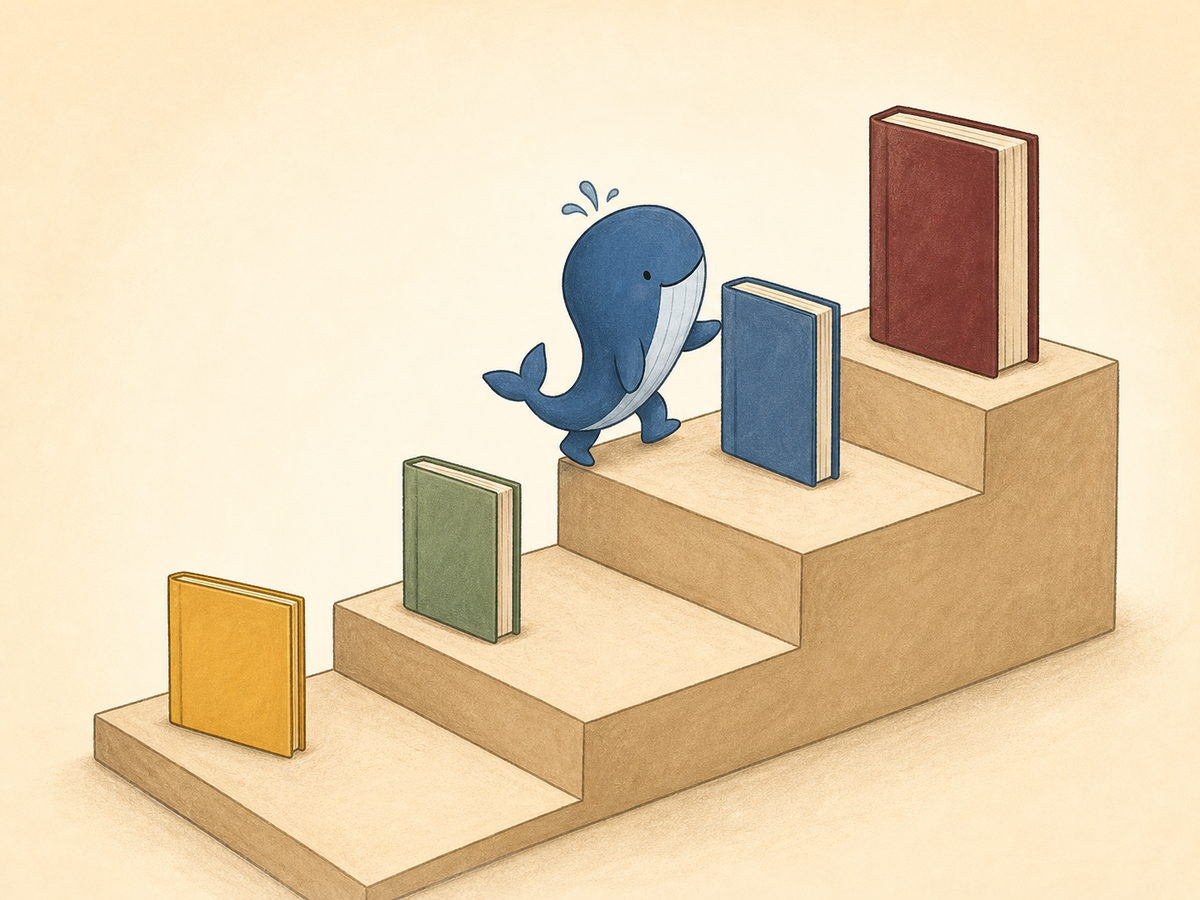
Reading ladder
As the books get thicker, Ray’s cards get more useful — a single page of dense text is exactly where "snap 10 words at once" wins.
200–500 words · 3–5 new words per page
500–1,500 words · 5–10 new words per page
1,500–3,000 words · 10–20 new words per page
3,000+ words · 15–30 new words per page
Parent pain points
It’s not lack of effort. Stopping to look up 3–5 words per page breaks the flow completely.
Without a review loop, every reading session re-teaches the same vocabulary.
Even the most dedicated parent can’t do the daily flashcard-making by hand. This needs to be a tool, not a chore.
See Ray handle one page
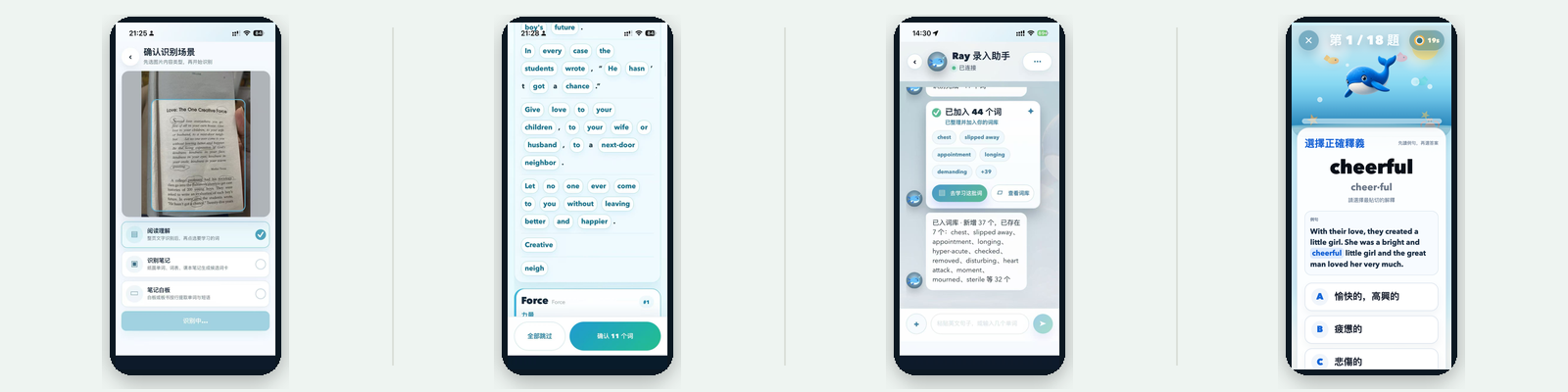
Real usage flow — open the page your child is reading tonight, snap the whole page, and within 10 seconds Ray turns it into review cards.
A real-book reading tool should help the child keep reading — not give them one more chore to do.
Photo, paste or manual entry — all flow into today’s learning list.
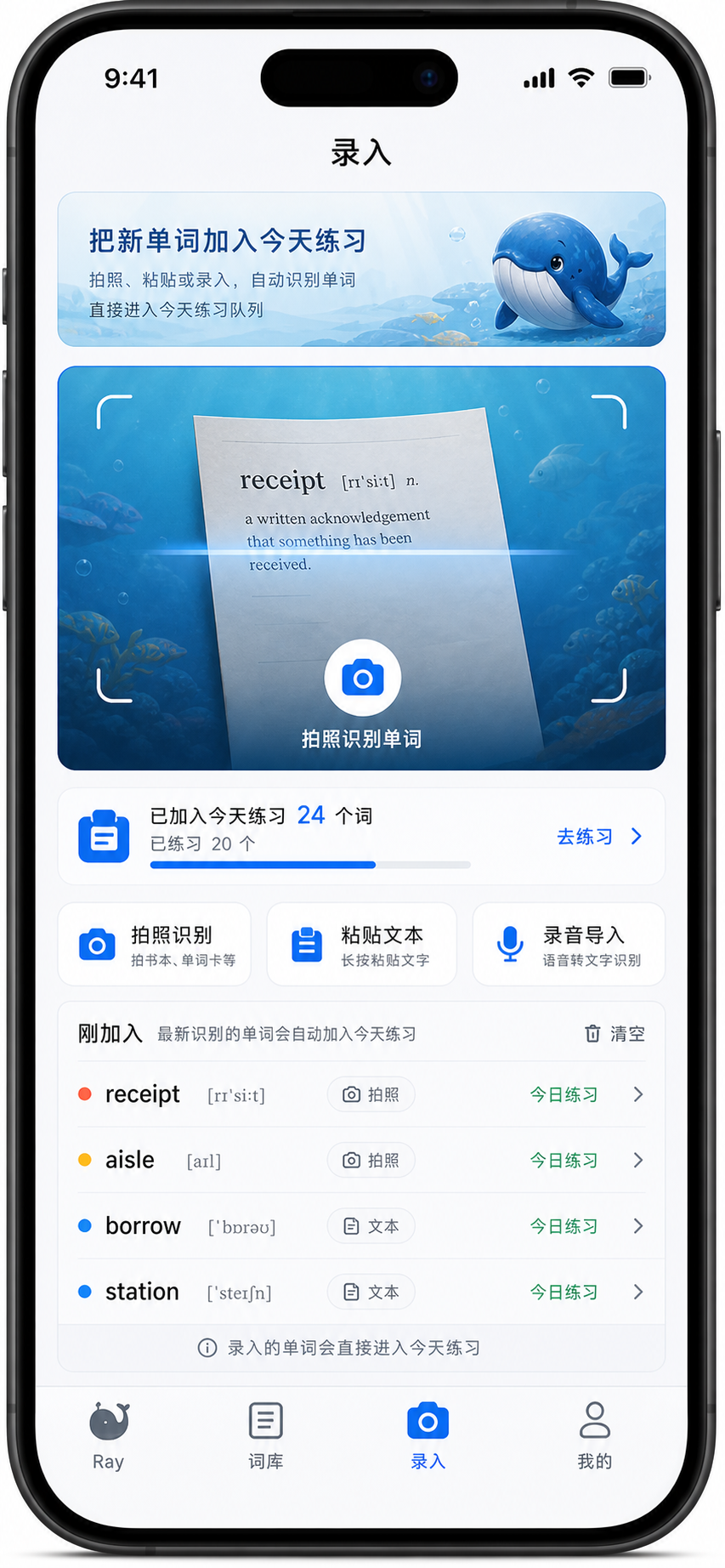
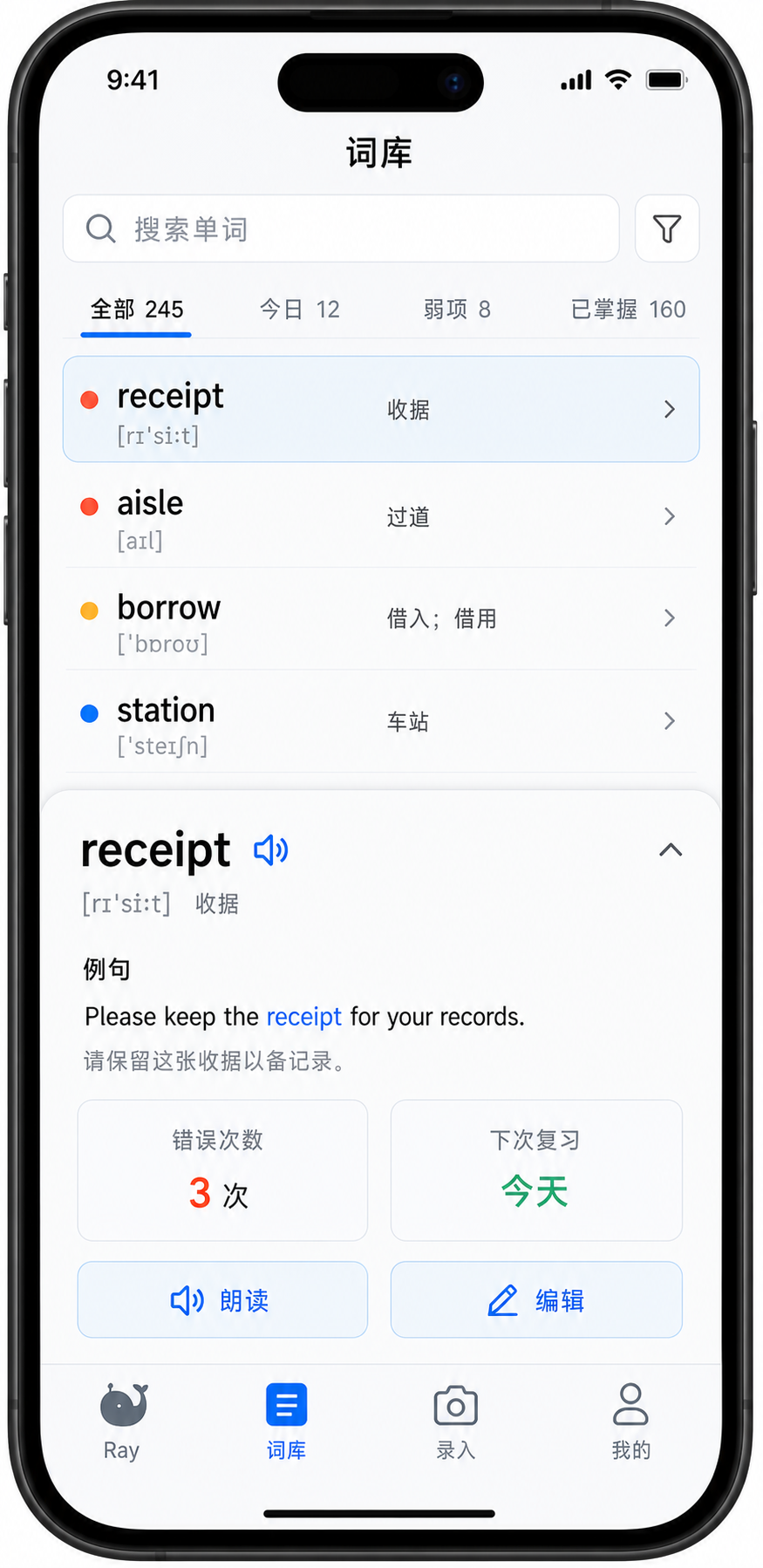
Parents can see each book’s words, examples and next review schedule.
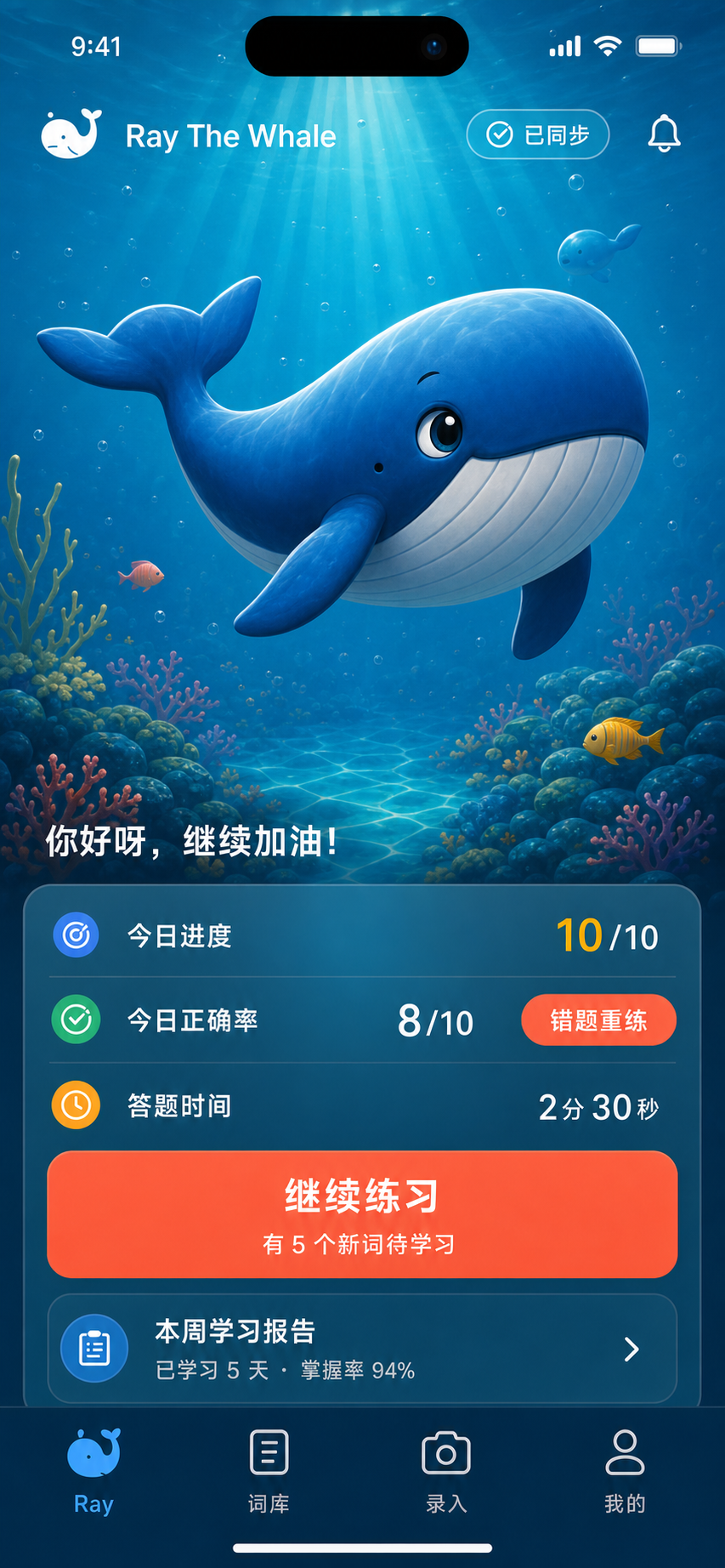
Children see progress, accuracy and a quick wrong-answer rerun.
2 children, 2 parent access points, trial, upgrades and usage are all spelled out clearly.

One parent’s story
She’s 10. Started with Ray in April; by June she’d snapped 96 pages — chapter books, magazines, Chicken Soup for the Soul. Averaging 6 words per snap; one page hit 44.
64% — proof Ray is catching what she actually doesn’t know. The spaced-repetition loop made them stick; second pass, she recognises them.
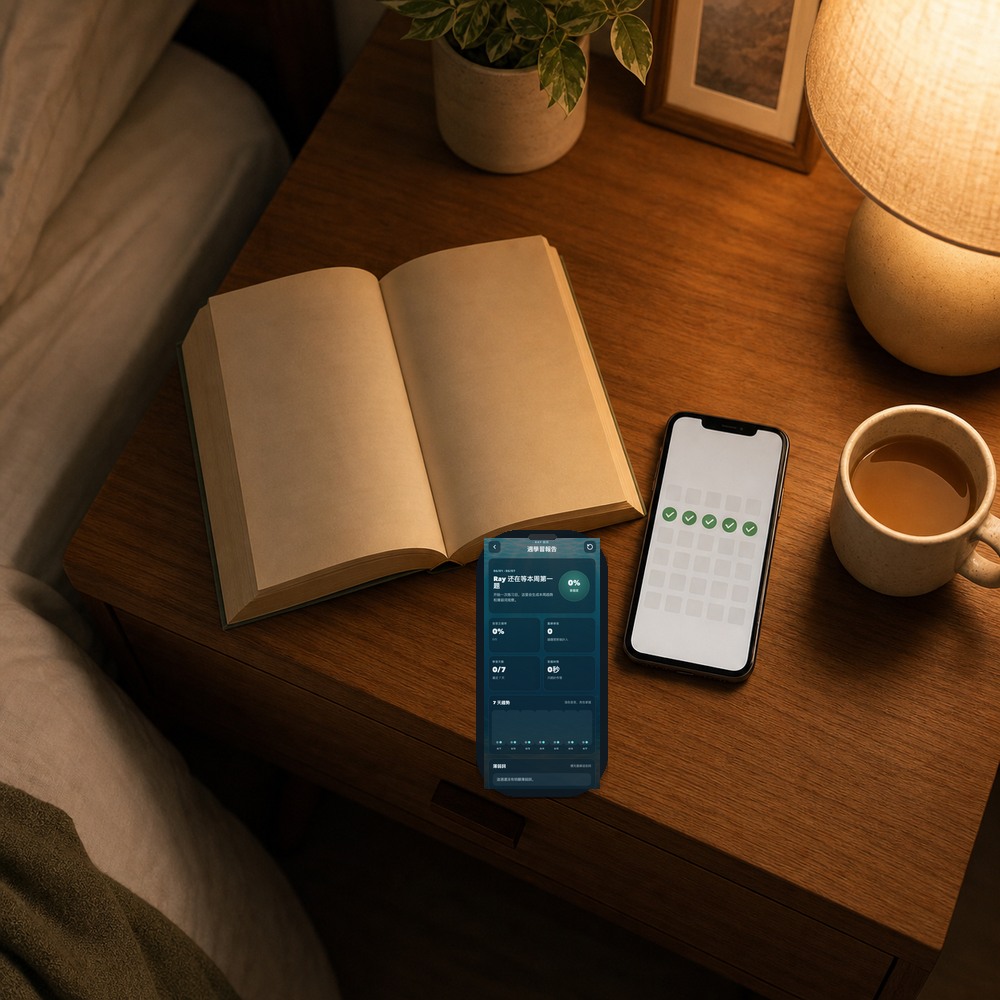
The thing I’m most proud of: she snaps a page every night. In the last 11 active days, that’s 31 snaps and 302 new words. Next on the nightstand: Harry Potter and the Philosopher’s Stone.
Recommended reading

Big pictures, few words. A handful of new words per page is enough to build the "I can read English" feeling.
Stories grow longer, vocabulary expands. Ray quietly collects the new words from each session into reviewable cards.
Books that are 10+ chapters long. Capturing 10–20 words per page is exactly where the OCR loop pays off — finishing the whole book becomes realistic.

Harry Potter, Percy Jackson, magazine articles, Chicken Soup — with Ray, kids reach the books they thought were too hard.
Reading-companion flow
A short loop that fits into bedtime, but slowly compounds into the ability to actually finish a real book.
No need to stop on every word — capture the whole page and finish the paragraph.
It grabs the example sentence from the book itself and adds syllables and pronunciation.
"Already knows this," "Too hard, skip for now" — a couple of swipes is enough.
Spaced repetition decides which cards to show today; you don’t plan a thing.
Reading gets smoother, and the next page feels possible.
Family plan
Sign up and the 7-day Ray Family Plus experience starts immediately. No payment details up front, no auto-charge. The first family plan includes 2 child profiles and 2 parent access points, so you can test the full loop with a real page from your child’s book.
Great for the first time — see whether your child sticks with the rhythm.
For families who want two children to build separate libraries from book after book.
Install Ray
Pick App Store, Google Play or direct APK download. Ray Family Plus starts with 2 child profiles and 2 parent access points; install from official channels so family learning data stays in the right place.
Best for iPhone and iPad, installed and updated through Apple.
Now available on App Store. Please use the official Ray The Whale listing.
Best for Android devices in Hong Kong, Singapore and regions with Google Play access.
Best for Android families with Google Play access.
Install the Ray APK from the official Ray website.
Before installing, confirm the source is the Ray official website and keep system safety prompts on.
Parent reading
FAQ
How dense a page is, how review works, how we judge difficulty — answers up front.
Roughly ages 8+ is the sweet spot — that’s when chapter books begin and "capture 10+ words at once" really pays off. Younger kids (K–Grade 2) also work for picture books: a page of 3–5 new words still fits the same loop.
Ray deliberately doesn’t force a reading level — every child paces differently. Start one notch above the book your child finds comfortable: 5–10 new words per page is the sweet spot. The "reading ladder" above is a guide.
Raz / Oxford Tree are content platforms; Ray is a tool. You can read Raz with one hand and use Ray with the other — they’re complementary.
Ray flags page density automatically. Above ~25 new words per page, it suggests "this book may still be too hard — try something easier first." Parents can also swipe through to skip words the child already knows.
Yes. Ray isn’t age-restricted — many of our families share it: parent reads The Economist, child reads Magic Tree House, each library kept separately. Ray is actually more useful on dense text (chapter books, magazines, academic passages) than on easy picture books.
Sign up to start a 7-day Ray Family Plus trial including 30 photo captures. The first family plan supports 2 child profiles and 2 parent access points; after the trial, the free plan keeps working with a cumulative cap of 10 OCRs total (no monthly reset). Pricing is on the membership page.
A photo in under 3 seconds, 10 seconds of organising, 3 minutes of review tomorrow. The first real chapter book starts tonight.